Email notifications
In GitFlic, you can configure receiving notifications for events in a project. In addition to internal notifications and integration with Telegram, notifications can be sent to the email address used to register with the service.
The following events can be sent email notifications:
- Issues (creation, update, cancellation, and new comment on an issue). Notifications can only be sent to users with the administrator role or higher, or to participants specified as Responsible for the issue.
- Merge Requests (creation, update, approval, merge, close, cancel, and new comment on a request). Notifications can only be sent to users with the administrator role or higher, or to participants specified as Responsible for the request.
- Pipelines (creation and completion with success, error, or warning statuses). Notifications can only be sent to users with the administrator role or higher, or to participants who started the pipeline.
- Accepting a project invitation. The notification can only be sent to users with the administrator role or higher.
Global Notification settings
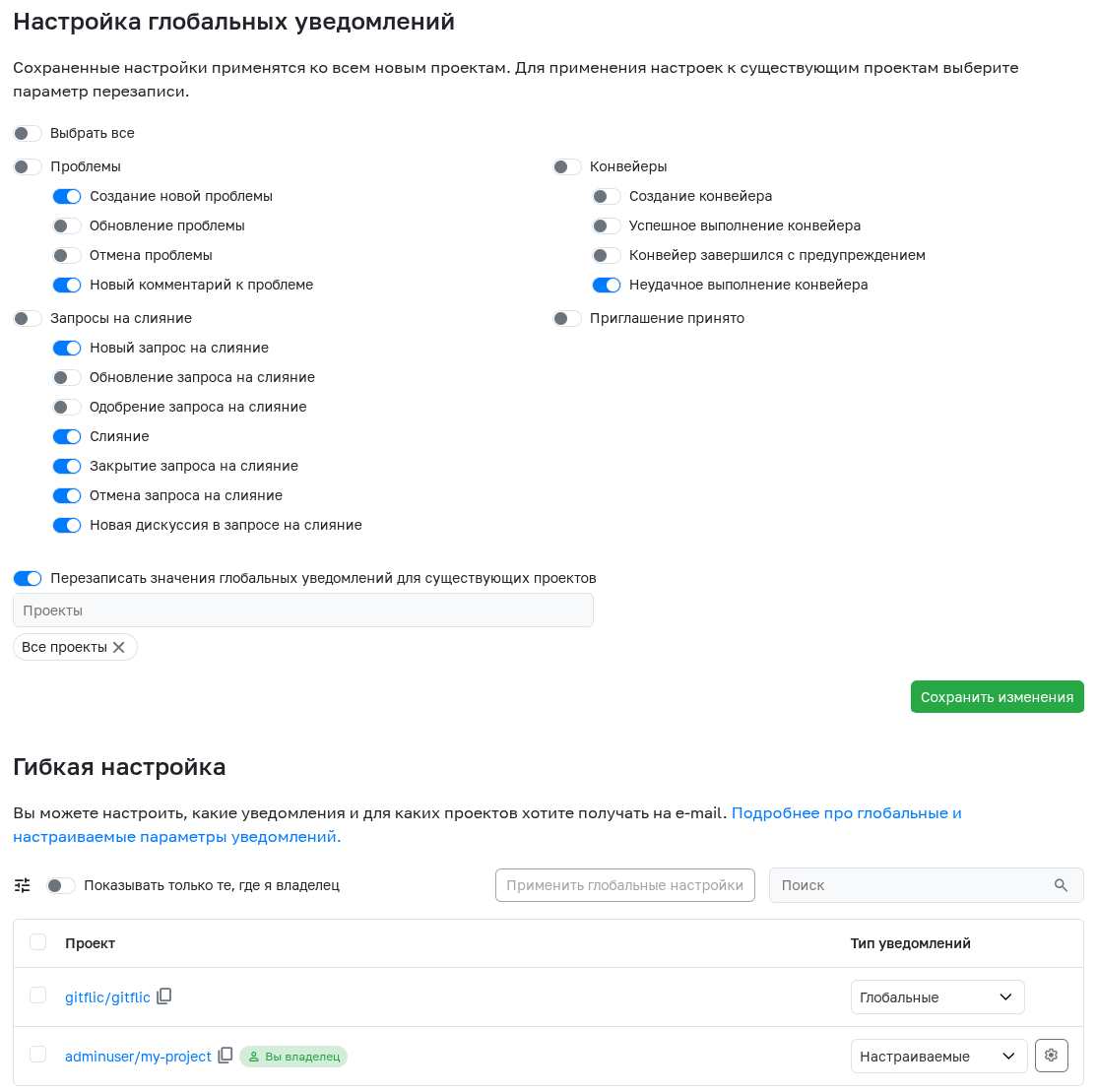
In the user's profile settings, in the Email Notifications section, you can configure global email notifications. These settings will be applied to all projects in which the user participates. You can change the settings in a separate project either here in the user settings in the [Flexible Settings] section (#customEmailSettings), or in the project settings.
Flexible notification settings
By default, each project has global notification settings email set. To change them only in a single project, select A custom notification type and specify the events for which notifications should be sent by email.
Setting up notifications in the project
In the settings of any project in which the user participates, in the Email Notifications section, there is an email notification setting. To change them only in this project, select the option Configurable parameters and specify the events for which notifications should be sent to the user's email.
Email notifications in self-hosted versions
To receive emails in the self-hosted version, you need to set up a connection to your SMTP server.
Automated translation!
This page was translated using automatic translation tools. The text may contain inaccuracies.