Forming a reproducible release contour
Description
It is not enough to automate building and checks if, at the end of the process, the team cannot clearly answer several practical questions: which exact version was released, what state of the source code it refers to, what materials are included in the delivery, and whether this release can later be reconstructed without guesswork and manual matching.
This is precisely the task solved by a reproducible release contour. Within the framework of this guide, this does not mean deployment to an environment or the delivery process itself, but a formalized version release that is linked to a specific state of the code, described in the GitFlic interface, and, if necessary, contains delivery materials.
In GitFlic, such a contour is built around several related entities: a project, tags, tag protection rules, build results, and the Releases section. As a result, a release ceases to be a verbal agreement or a set of files in a third-party storage and becomes a clear, verifiable, and reusable entity.
What problem does a reproducible release contour solve?
In many teams, by the time of release, the source code, change history, and even build results already exist. However, the release itself often remains poorly formalized. This leads to typical problems:
- it is difficult to quickly determine exactly which snapshot of the code was handed over for testing, acceptance, or operation;
- release materials are stored separately from the repository and over time lose their connection to the code version;
- identically named versions may differ in composition;
- the team lacks a clear rule for who and how records the release point;
- over time, it becomes difficult to reuse an already released version or prove its composition.
For business, this means wasted time reconciling versions, an increase in manual approvals, and an increased risk of errors during re-delivery. For the engineering team, this means a disconnect between development, building, and the release itself.
What forms the release contour in GitFlic?
In GitFlic, the release contour is formed not by a single setting but by a combination of several platform capabilities:
- the project page as a single point of access to code, releases, and pipeline information;
- tags as a way to record the required state of the source code;
- tag protection as a rule limiting the creation and deletion of significant versions;
- pipeline and job results as a source of delivery materials;
- a release as a formalized release linked to a specific tag.
On the GitFlic project home page, not only the repository files are displayed, but also information about releases and pipelines. This is important for the business case: a version does not exist separately from the project but is visible in the overall context of the team's work.
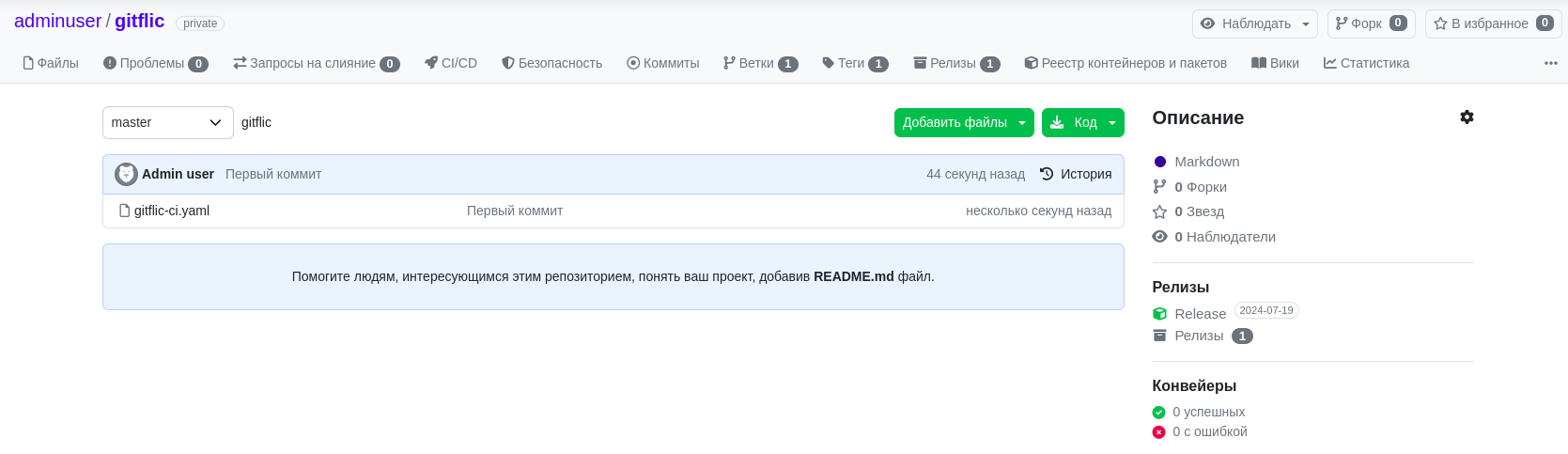
This approach helps link the code, build results, and version release in a single contour, rather than distributing them across different tools.
Recording the release point using tags
Reproducibility begins with recording a specific state of the source code. For this purpose, tags are used in GitFlic.
A tag allows you to unambiguously refer to the point in the project's history that should be considered the basis of the release. This is important in any situation where it is necessary to record a reference state: an intermediate build, a version for testing, a version for acceptance, or a stable release.
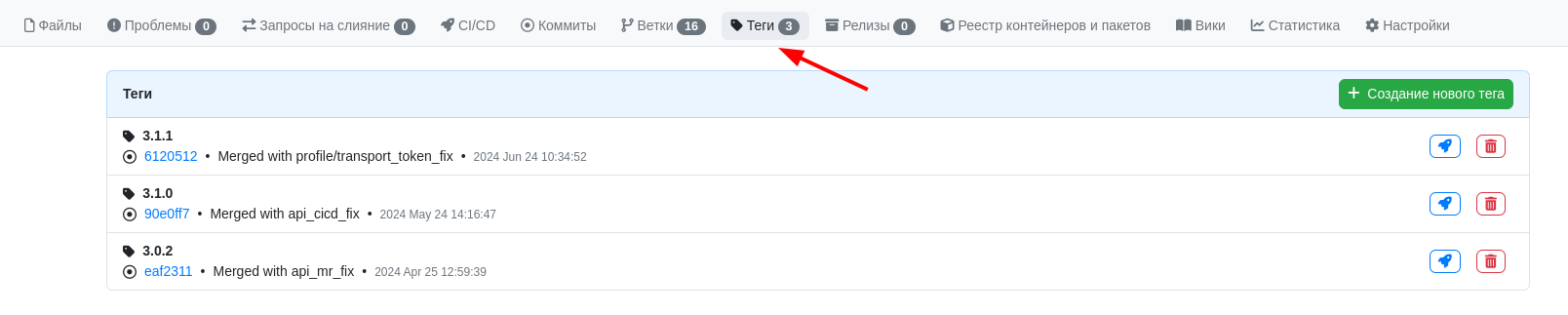
The practical meaning of a tag in this scenario is simple: it separates the working flow of changes from the point that the release will later refer to. Thanks to this, the team does not discuss the version verbally but relies on a specific marker in the project's history.
For more details on working with tags, see the article Tags.
Managing release rules through tag protection
For the release contour to be not only convenient but also manageable, it is important to formalize the rules for working with release tags.
In GitFlic, tag protection is used for this. It allows you to specify a pattern and define who has the right to create or delete tags that fall under this rule. For example, a team can separate ordinary technical tags from tags used for official releases.
From a business process perspective, this solves two tasks at once. First, significant versions are no longer created arbitrarily. Second, the team gains a clear accountability model: who can record a release point and who is responsible for changing existing release tags.
For more details on configuring such rules, see the article Tag Protection.
Formalizing a release through the "Releases" section
A tag records the state of the source code, but by itself it does not yet formalize a release. For this, GitFlic uses the Releases section.
On the releases page, the team sees already published project releases and can proceed to create a new release.

When creating a release, the desired tag is selected, the version name is specified, and a description is added if necessary. Additionally, release files can be attached, as well as a project archive. If the release is an intermediate one, it can be marked as a pre-release.

Practically, this means that a release becomes a clear entity with its own description and a link to a specific state of the code. The team can not only name the version but also record exactly what it includes and in what form it was prepared.
For more details on working with this entity, see the article Releases.
How to link a release to delivery materials
A reproducible release contour is useful not only when a version is named and marked with a tag. It becomes especially valuable when a release can be matched with the results of engineering work.
In GitFlic, the results of jobs and pipelines can be saved as artifacts. This allows using already prepared materials as the basis for formalizing a release: archives, built files, accompanying materials, and other results that the team considers part of the delivery.
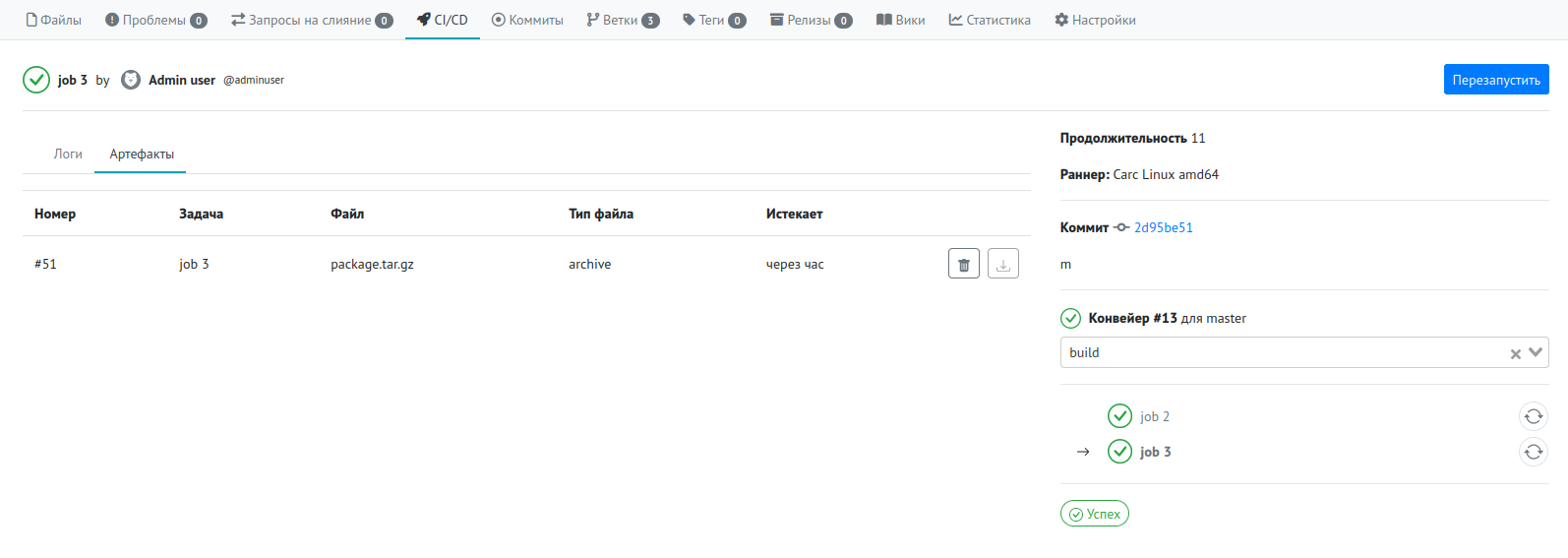
As a result, a release ceases to be an abstract entry in a version log. It begins to rely on specific materials generated during the team's work. This is especially important if the release needs to be understandable not only to developers but also to testing, support, the internal customer, or related departments.
For more details on artifacts and job results, see the articles Pipeline and Job.
Pre-releases and stable releases
In real work, not every release is final. Sometimes a team needs to formalize an internal build, a release candidate, or a version for preliminary verification. In other cases, a final, stable release is required.
GitFlic allows using a single mechanism for this. When creating a release, you can mark it as a pre-release. Thanks to this, intermediate and stable versions are formalized within the same contour but are not mixed in meaning.
This is convenient for the team because the same process is used for both internal checkpoints and significant versions that should be preserved as an official work result.
Practical scenario for forming a reproducible release
Below is a typical scenario for using GitFlic within this business case.
- The team prepares a change and obtains build and verification results.
- A tag is created for the required state of the source code.
- Protection rules are applied to release tags so that significant versions are created according to clear rules.
- A release is created in the Releases section based on the required tag.
- A description, and, if necessary, files and a project archive are added to the release.
- The team receives a formalized version that can be unambiguously linked to the code and reused if necessary.
In this scenario, GitFlic helps not just to store code or show the change history, but to bring the development result to the state of a formalized release.
What the team and business gain
When the release contour is formalized in this way, the team gains several applied advantages.
First, an unambiguous link appears between the release and a specific state of the source code. This simplifies verification, reuse, and analysis of already published versions.
Second, the composition of the release becomes clearer. The version name, description, attached materials, and link to the tag provide a unified view of exactly what was formalized as the result of the work.
Third, the release becomes manageable. Through tag protection rules and release formalization, the team moves away from manual agreements and random actions.
Finally, reproducibility becomes part of the engineering process. Even later, you can return to the desired release, understand its composition, and use it as a reference point for subsequent work.
Conclusion
GitFlic helps form a reproducible release contour through a combination of tags, their protection rules, pipeline results, and the Releases section. In this approach, a version release ceases to be an informal completion of work and becomes a separate managed entity within the project.
The practical value of this business case is that the team receives not just the fact of a release, but a clear and verifiable version: based on a specific code snapshot, with formalized delivery materials, and with the ability to reuse this result in the future.
See Also
Previous guides
- Centralization of source code and change history in a single environment
- Managed change integration via merge request
- Automation of building, testing, and publishing results via CI/CD
Automated translation!
This page has been automatically translated. The text may contain inaccuracies.