Applying LLM-generated patches in Merge Requests
An LLM (Large Language Model) can analyze changes in a merge request and automatically generate patch files with suggestions for fixing, improving code, or correcting errors. Patches are saved as CI/CD artifacts and can be applied to the source branch via the GitFlic web interface.
Configuring patch generation
To use LLM patches, add a job to the gitflic-ci.yaml file. Inside the job, you need to call the LLM (via a script or API), pass it the context of the merge request, and save the resulting patch file as an artifact with the patch type.
Example configuration:
test1:
  stage: patch # The stage name can be anything
  script:
    - # call LLM and generate example.patch
  artifacts:
    reports:
      patch:
        paths:
          - example.patch
          - example2.patch
Patch file format
The patch must be compatible with the patch utility and contain a unified diff (diff -u format). Only such files can be applied via the web interface.
Applying the patch in a merge request
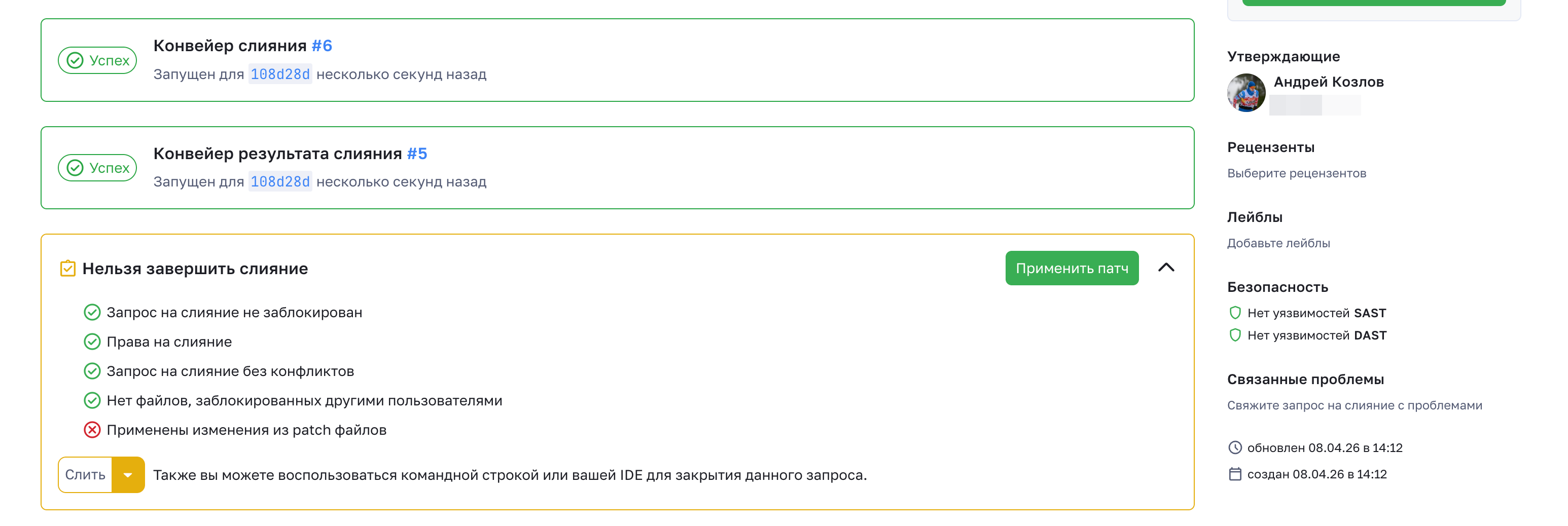
After a job with a patch artifact completes successfully, a Apply patch button appears in the merge request interface. It is available if at least one patch artifact exists in the last successful pipeline.
When clicked, a change preview form opens. The left part displays a list of all found files with changes, and the right part shows the differences that will be applied to the code.
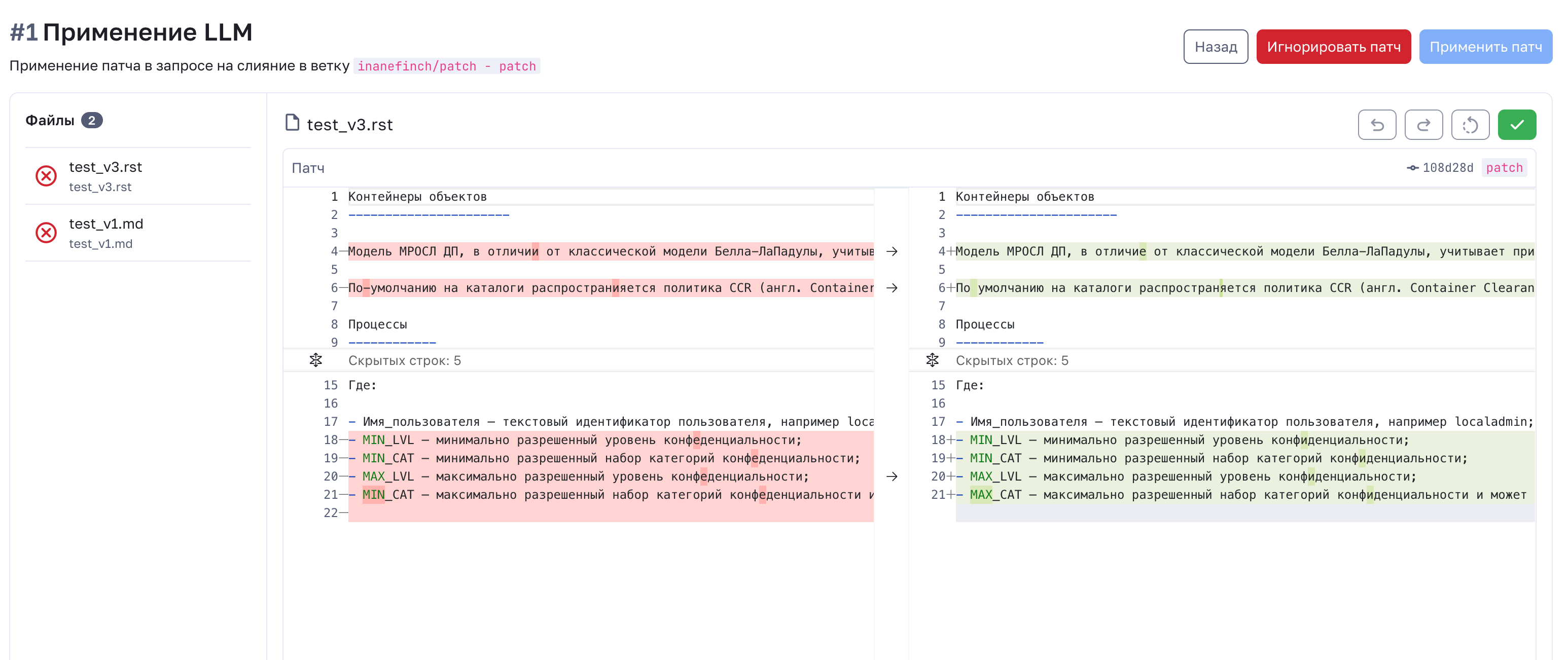
To apply the patch: 1. Select a file from the list. 2. Review the proposed changes. 3. Click Apply patch — the patch will be applied to the current source branch. 4. Confirm the action with the Commit button (a commit is created automatically).
After that, the merge request is updated, and the changes become visible in the diff.
Viewing results
All generated LLM patches are saved as pipeline artifacts and are available for download on the job execution page. This allows you to reapply the patch or analyze the model's suggestions outside the web interface.
Additional recommendations
- Make sure the LLM is configured to generate patches in the correct format (e.g., using
git diff). - For complex scenarios, use several patch files — each will be displayed as a separate item in the interface.
- Applying a patch does not bypass standard CI/CD checks: after the commit, new pipelines will be launched.
Automated translation!
This page has been automatically translated. The text may contain inaccuracies.