Automation of building, testing, and publishing results via CI/CD
Description
In most teams, repetitive engineering tasks have long been performed manually: builds are run locally, tests are not executed for every change, and results are shared via chats, emails, or file storage. This process works as long as the team is small and all participants share the same understanding of the sequence of actions. As the product grows, this leads to inconsistencies: the same result is built differently, checks are not fully performed, and the final outcome is difficult to quickly confirm.
GitFlic CI/CD allows you to translate these actions into a single managed process. The pipeline combines stages and jobs that sequentially perform builds, checks, and result storage. As a result, the team gets not a set of manual operations, but a reproducible scenario that is identical for each run.
Within this guide, publishing results does not mean releasing to a production environment or creating a release, but rather saving and providing build and verification results in the GitFlic interface: artifacts, execution logs, and test reports.
What problem does this approach solve?
Automating building, testing, and publishing results via CI/CD helps solve several practical problems at once:
- eliminate differences between "local" and "environment" builds;
- make checks a mandatory part of the process, not a manual agreement;
- store execution results in one place and make them accessible to the team;
- reduce the number of actions that need to be repeated from change to change;
- simplify the maintenance of the automation process.
A particular value of this approach is that automation scenarios are usually described in a YAML configuration. For an experienced developer, such scenarios are generally readable and understandable, so building a basic automation process does not always require the separate involvement of an experienced DevOps specialist.
What does a unified process look like in GitFlic?
In a practical scenario, the workflow is structured as follows:
- A CI/CD configuration is added to the project.
- When a pipeline is triggered, GitFlic sequentially executes jobs by stage.
- The result is built in one stage.
- In the next stage, tests and additional checks are performed.
- After the jobs complete, the results are saved as artifacts and reports.
- The team reviews the execution status, logs, and published results in the project interface.
This approach allows you to view CI/CD not only as a way to run commands but also as a mechanism for publishing technical results within the common development environment.

Build automation
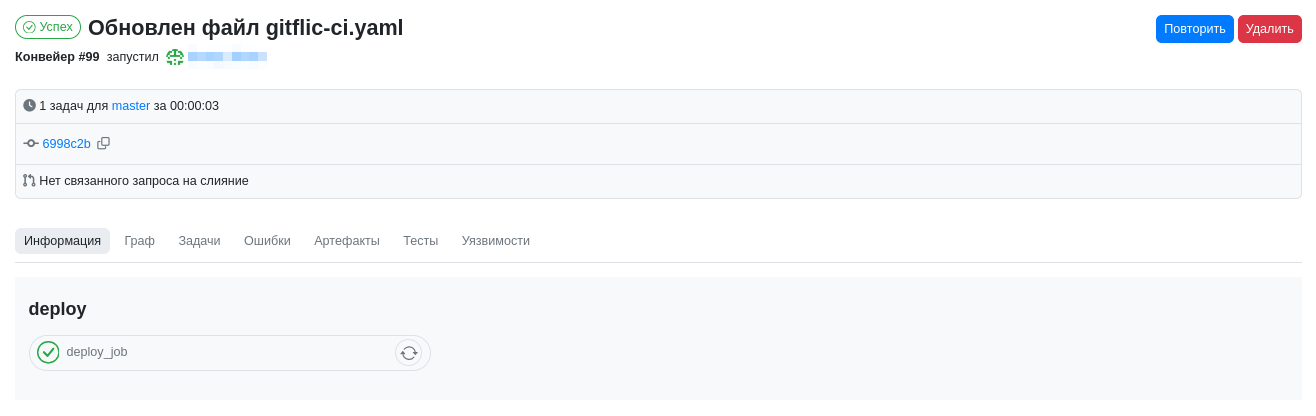
Building is the first step that makes sense to make consistent for all changes. As long as the build is performed locally, the team depends on the specific developer's environment: tool versions, dependency availability, and personal launch habits. When the build becomes a pipeline job, it is executed according to uniform rules and produces a consistent result.
In GitFlic, a pipeline consists of stages, and jobs are executed within stages. This allows you to separate the build from subsequent checks and see at what stage the change processing is at.
Test and verification automation
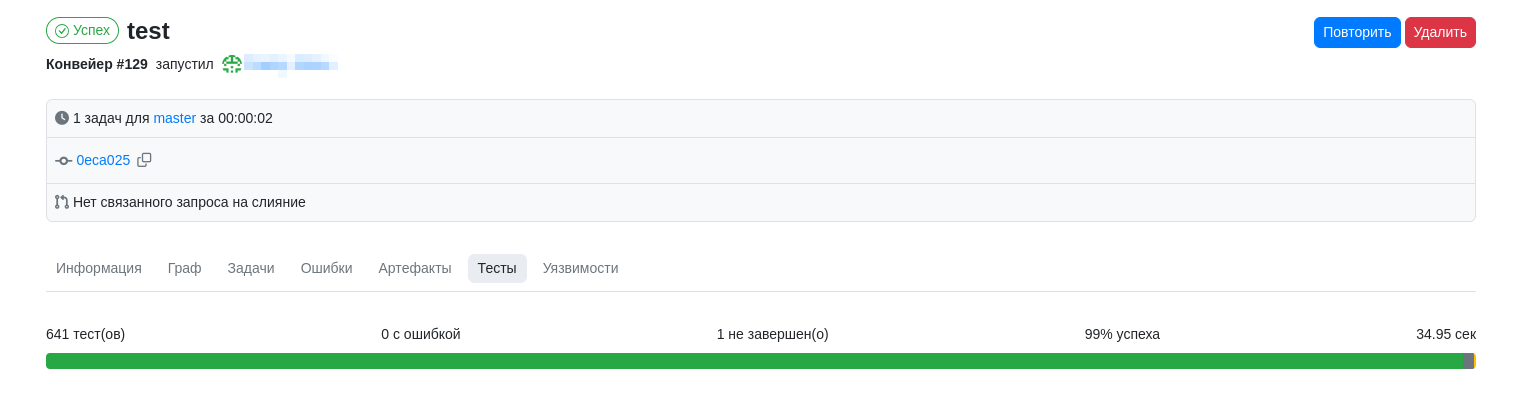
After the build, automatic checks can be included in the same process. These can be unit tests, linters, static analysis, and other verification actions that the team considers mandatory. The principle itself is important: checks are performed not selectively or "from memory", but as part of the same pipeline.
For the team, this means the quality status of a change becomes observable. There is no need to separately check whether tests were run, where to see the result, or exactly which set of checks was performed. All of this is recorded within the pipeline run.
Publishing results without manual file transfer
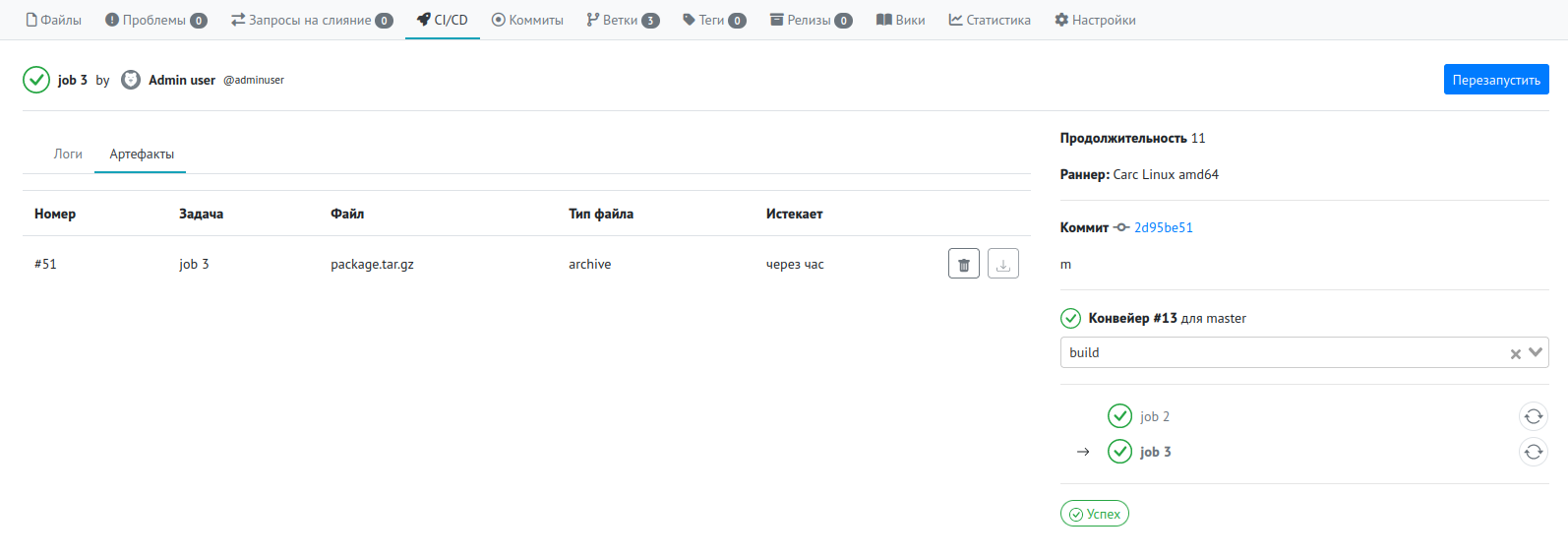
The next practical step is to ensure that the results of the pipeline work are not lost after jobs are completed. For this purpose, GitFlic uses artifacts and reports.
Artifacts allow you to save build results: archives, prepared files, intermediate packages, and other materials that the team uses for result analysis or further work. Reports allow you to display verification results directly in the project interface.
It is this step that removes a significant portion of manual operations. Instead of transferring files, manually searching logs, and re-explaining "what exactly happened," the team gets a single place to view results.
What exactly is considered publishing results in this scenario?
Within the framework of this guide, publishing results means saving and displaying the technical results of the pipeline's work. This typically includes:
- built files and archives;
- results of individual jobs;
- execution logs;
- test reports.
This approach is especially useful in teams where, after a build, the result should be accessible not only to the initiator of the run but also to other process participants: developers, those responsible for verification, testers, and technical leads.
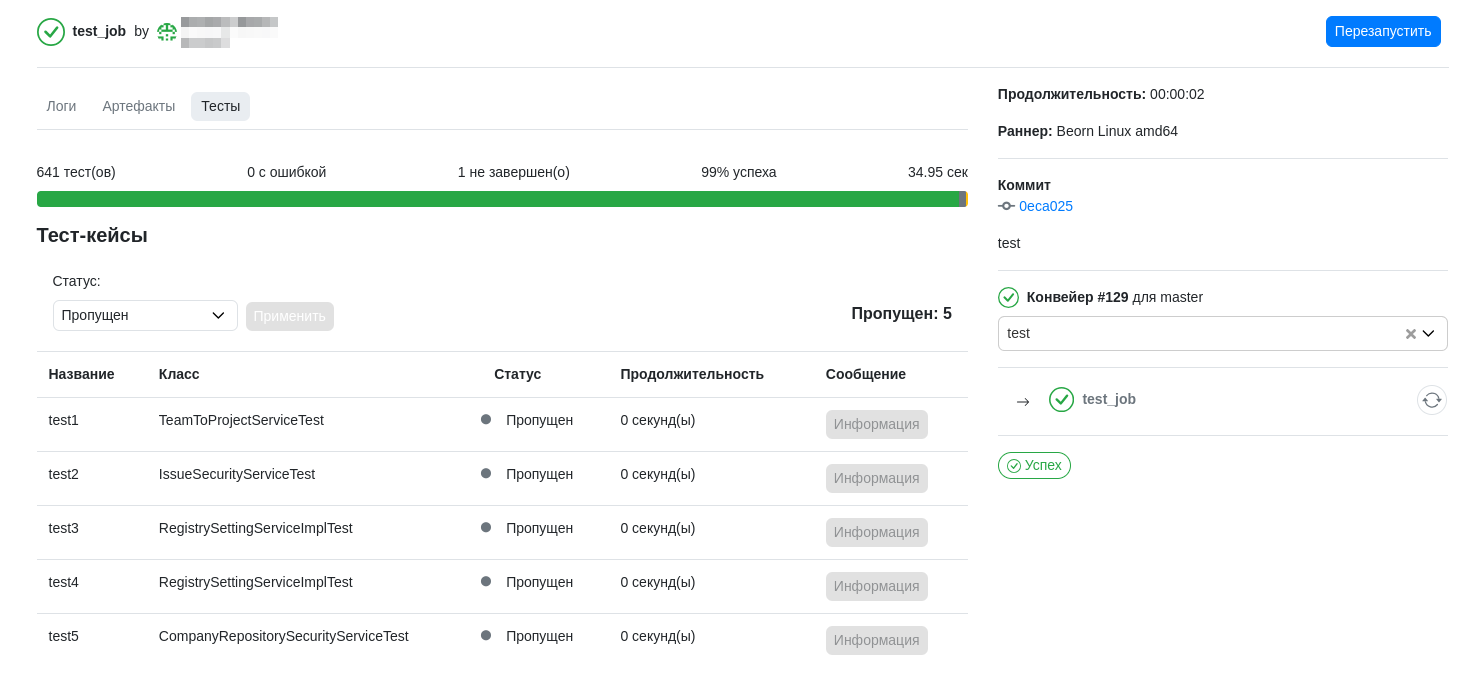
For unit tests, GitFlic supports displaying JUnit reports directly in the project interface, so test results can be viewed not only in the logs but also in a separate test view.
Example basic configuration
Below is a high-level example configuration in which a single pipeline performs a build, then checks, and then saves the results. The example is intended as a guideline for the process structure; it can be adapted to a specific stack, build format, and composition of checks without changing the logic of this guide.
stages:
  - build
  - test
  - publish

build job:
  stage: build
  scripts:
    - echo "Building the project"
    - mkdir build-output
    - echo "artifact" > build-output/result.txt
  artifacts:
    paths:
      - build-output/

unit tests:
  stage: test
  scripts:
    - echo "Running tests"
    - mkdir reports
    - cat <<'XML' > reports/junit.xml
      <testsuite name="example" tests="1" failures="0">
        <testcase classname="sample" name="test_ok"/>
      </testsuite>
      XML
  artifacts:
    reports:
      junit:
        paths:
          - reports/junit.xml

publish results:
  stage: publish
  scripts:
    - echo "Publishing results in the GitFlic interface"
  artifacts:
    paths:
      - build-output/
      - reports/
Practical effect for the team
When building, testing, and publishing results are combined into a single pipeline, the team gets a more predictable engineering process.
First, the number of manual operations is reduced. There is no need to re-run the same commands on a local machine and separately transfer the result to colleagues.
Second, checks become an embedded part of the workflow. This reduces the likelihood of missing tests and simplifies change quality control.
Third, results become observable. At any time, you can open the pipeline, view job statuses, study execution logs, download artifacts, and navigate to test reports.
Finally, the automation process itself becomes easier to maintain. Even if the configuration evolves over time, the basic logic of building, checking, and publishing results remains understandable and readable for an experienced development team.
Conclusion
GitFlic CI/CD allows you to transform building, testing, and publishing results from a set of repetitive manual actions into a single technical process. In such a process, results are not lost after commands are executed but become part of the common engineering environment: they can be viewed, verified, downloaded, and used further within the team's work.
The value of this approach lies not only in speeding up operations but also in increasing transparency. The team sees exactly what was built, what checks were performed, and what results were published at the end of a run.
See Also
Automated translation!
This page has been automatically translated. The text may contain inaccuracies.