Merge Trains
Feature available in Enterprise version
Merge Trains functionality is a logical extension of the Merge Result Pipeline (MRP) feature. MRP - a special pipeline type available for merge requests, allows evaluating the final project state before merging, but this state is only valid at the moment of MRP creation.
Example of outdated project state in MRP
User A creates a merge request from their branch branch-a to master. After creating the request, MRP starts executing. This pipeline will be created on a commit representing the project state as if the merge request was completed. Then User B completes their merge request from branch branch-b to master. Due to new changes in master, the MRP created for the first request becomes outdated.
Merge Train — is a sequence of MRPs for a group of requests that guarantees the relevance of changes before merging and helps avoid race conditions when verifying the current project state before branch merging.
How It Works
Merge Trains affect the merge request process in the following way:
-
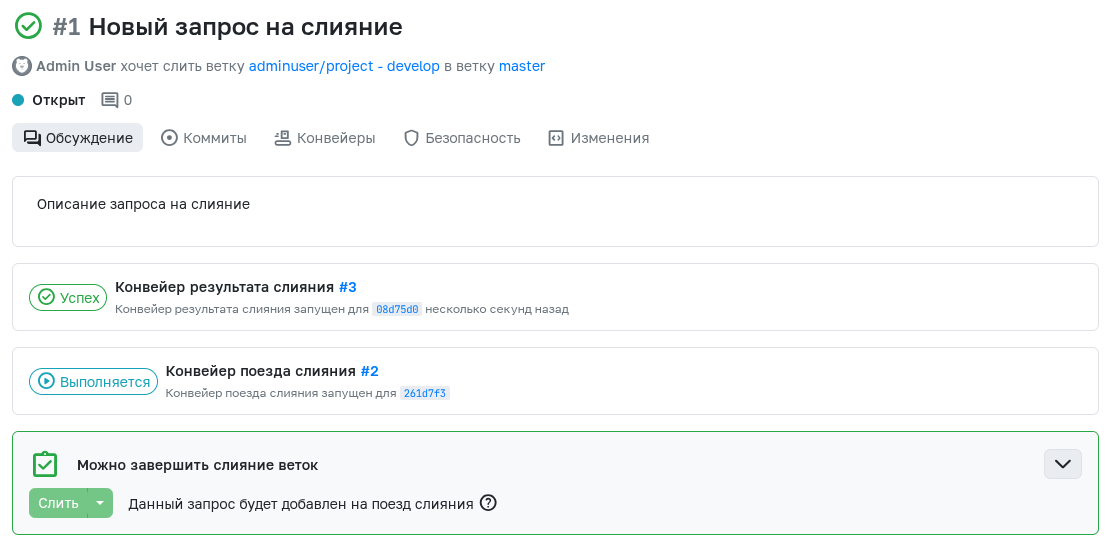
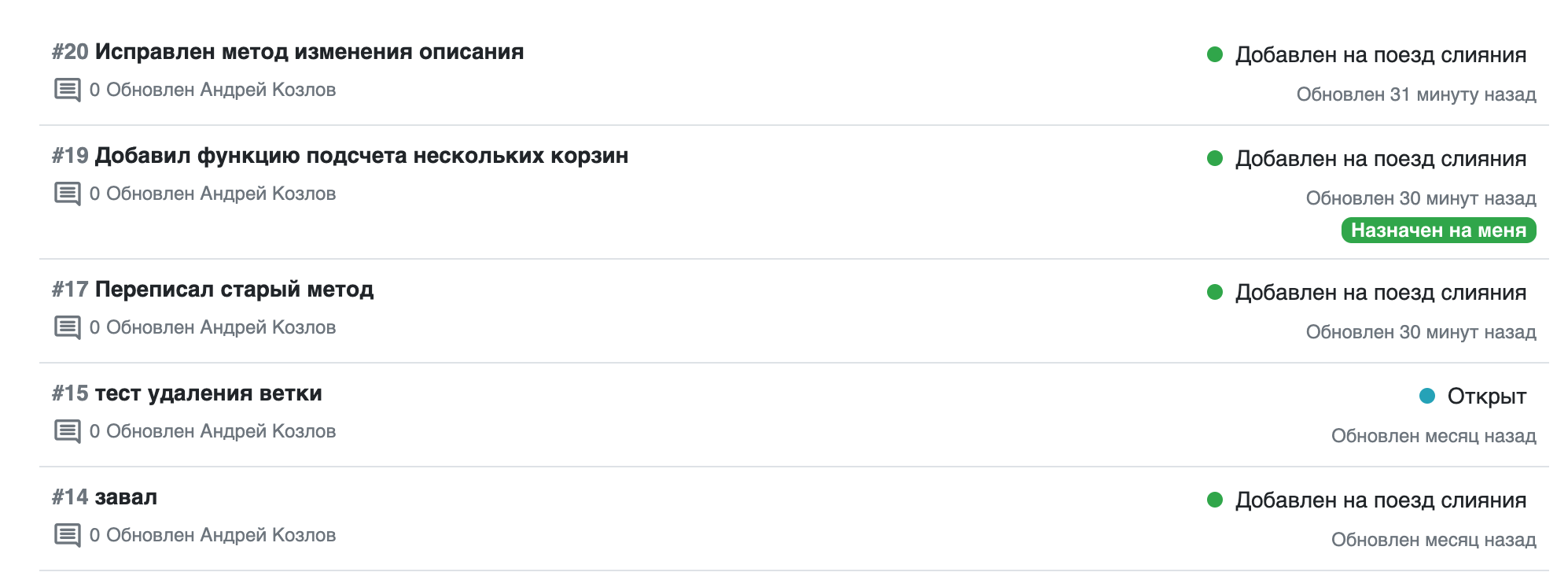
After initiating a merge, the request enters a special queue. In this queue, each request gets a special pipeline - merge train.
-
Merge train is essentially a merge result pipeline, with the key difference that it executes sequentially for a group of requests from the queue.
-
Until the merge train pipeline completes with either Success or Error status:
- The merge request remains Open
- The merge button is disabled
- The merge train pipeline is displayed on the request's main page
-
If the pipeline completes with Success status:
- The request is merged as usual, following the applied merge rules.
-
If the pipeline completes with Error status:
- The request is removed from the queue.
- Subsequent requests are reorganized according to the new queue state.
- The merge request whose merge train failed must be restarted to create a new pipeline.
Merging requests with potential conflicts
When attempting to queue multiple merge requests, situations may arise where earlier merged requests create conflicts in later requests. Such potential conflicts can affect the merge button behavior. If clicking the Merge button doesn't create a new train, you should wait for completion of all existing trains - after their completion, conflicting files will be displayed in this request.
This feature is particularly useful in large teams where many developers work on the same project.
Workflow Example
There are four merge requests - A, B, C, D. The requests were queued in a merge train with the master branch. Before merging, each branch passed MRP with the master branch within its request. When merge train A with master completes successfully, merge request B will run MRP with the commit after merging A and master. If MRP fails, the merge request remains Open for issue resolution, and the C, D queue is redefined. The next MRP C will run with the commit after merging A and master following the same principle. Upon successful branch merging, related merge requests receive "Merged" status as if they were merged manually.
Configuring Merge Trains
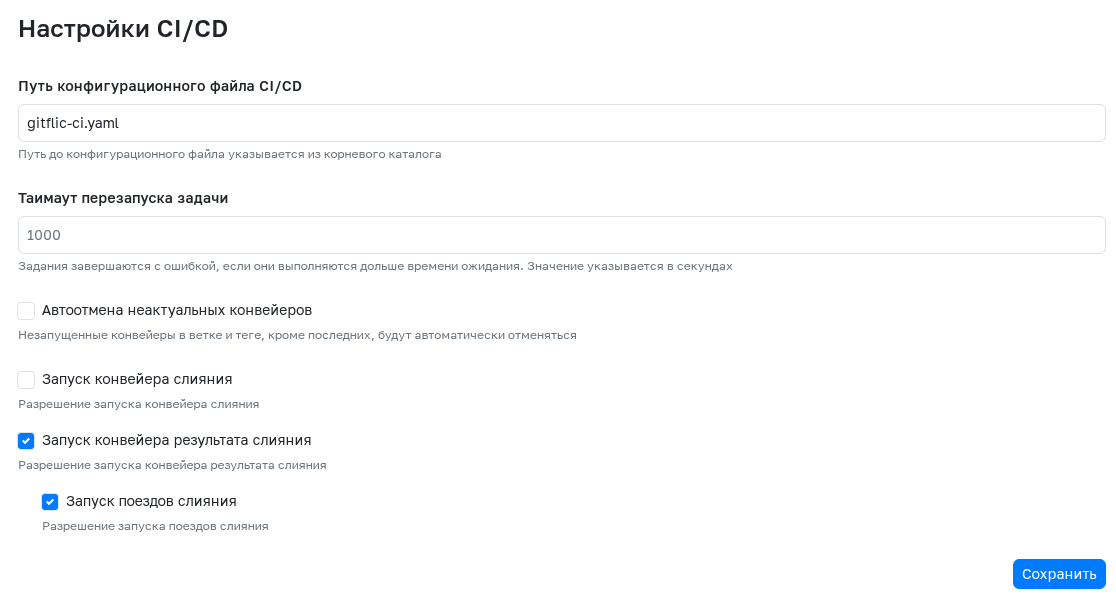
To enable this feature, in project settings under CI/CD Configuration section, activate both Enable Merge Result Pipeline and Enable Merge Trains options.