MAX integration
Attention!
MAX integration is only available for self-hosted solutions.
To use MAX integration, add the max.bot.token parameter to application.properties, which specifies the auth_token of the chatbot created in MAX.
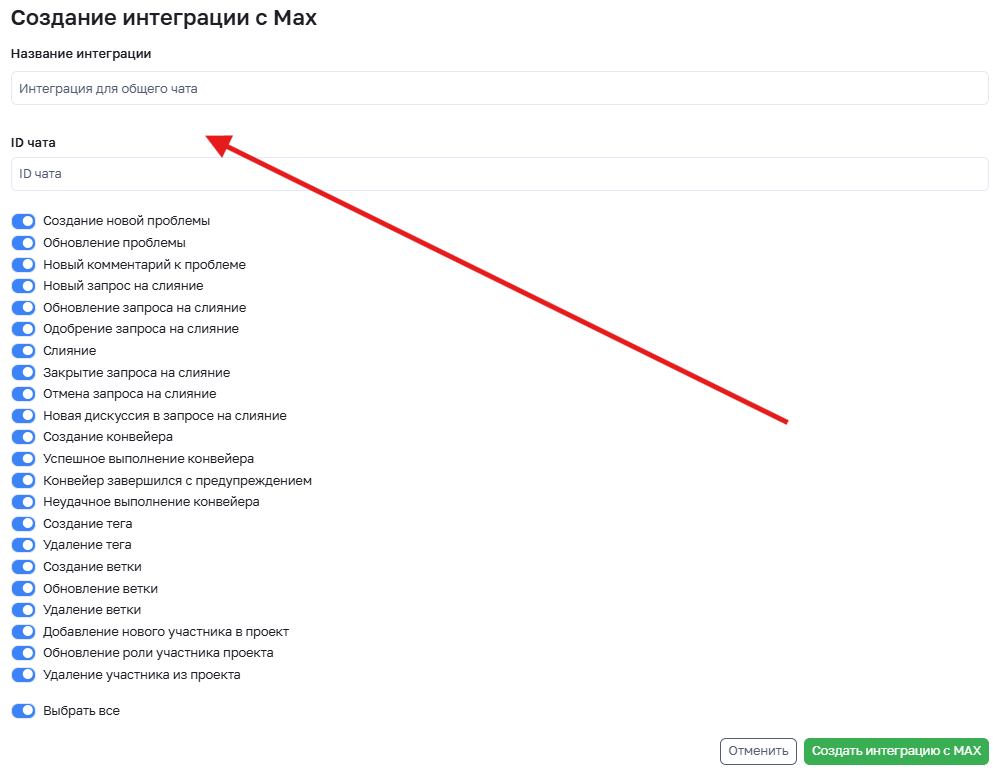
To create a new MAX integration, click the "Create" button on the project integrations page. On the integration creation page, select the required set of events that you need to receive notifications in a group chat or channel, specify a name for the new integration and the chat ID where notifications will be sent, and click "Save".
The chat ID can be obtained from the URL of your group chat, and it must be specified with a
-symbol at the beginning, for example: -11111111111111
Attention!
The maximum number of integrations is 5, which means that one project can be subscribed to 5 chats.
Next, you need to add the bot to your channel or group chat of your development team. The bot only needs permissions to send new messages, and if you add the bot to a channel, it will be added as an administrator with the ability to post messages.
We recommend creating a separate group chat for project notifications to ensure that important notifications are not lost in the chat.
Once the integration is created, the bot will send notifications about selected events to the specified chat.