Project branches
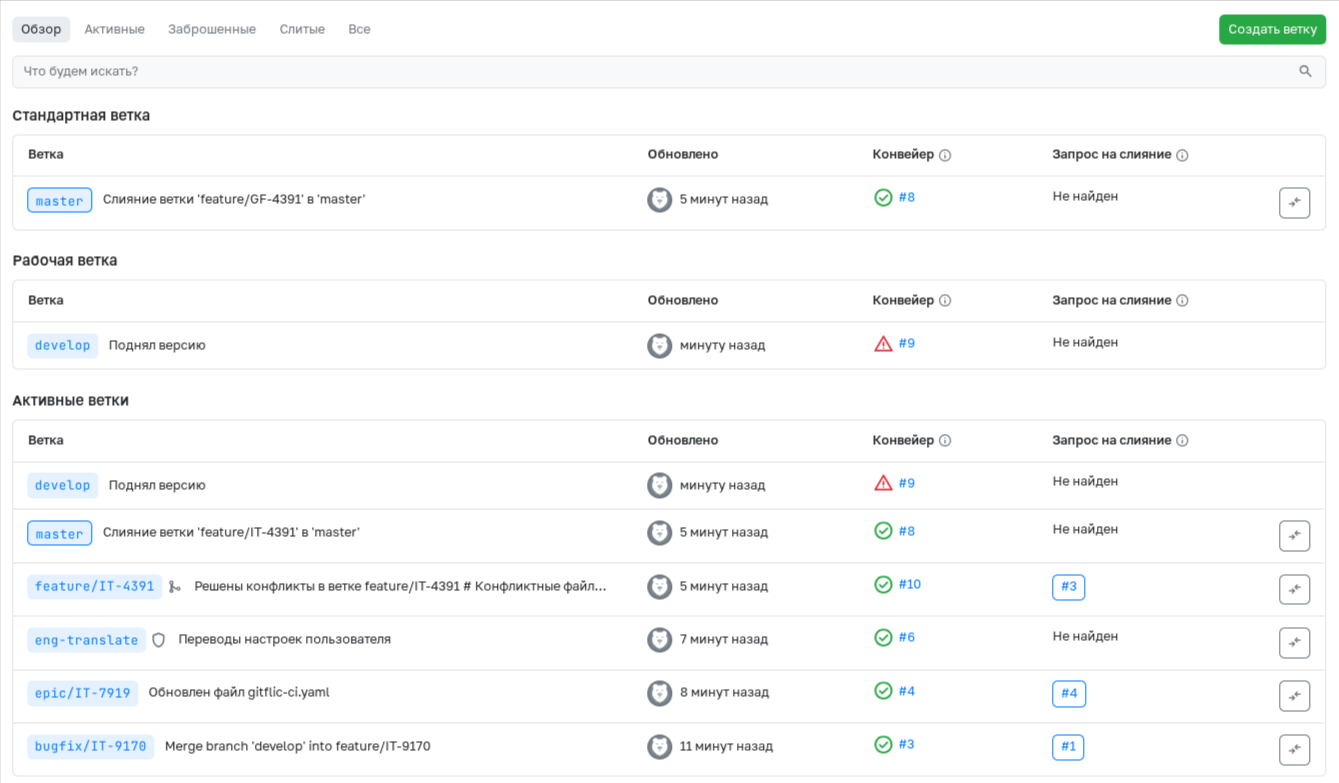
The list of all branches of the project is available to any user who has access to the project. The Overview page displays the standard and working branches of the project, as well as the latest active ones. Information about the last commit, pipeline for this branch, and merge request, in which the source branch is the specified one, is displayed next to each branch.
If there is protection, a special icon will be located next to the branch name. If a branch has been merged into the standard branch and its commit history does not differ from it, then a characteristic icon will be located next to the name of such a branch.
If you have rights, no protection, and open merge requests, there will be a button in front of the branch to delete it. To compare the latest commit of a branch with the current commit of the working branch, use the appropriate button.
Automated translation!
This page was translated using automatic translation tools. The text may contain inaccuracies.